Streamlining the Gateway Creation Workflow
Amazon Web Services - Storage Gateway
Roles and Responsibilities
Sole UX Designer
User Research
Wireframing
Prototyping
Usability Studies
Team Members
1 Program Manager
1 Software Development Manager
5 Front end and Back end Developers
Timeline
2022 - 2023 (this project is on pause)
Background
Problem
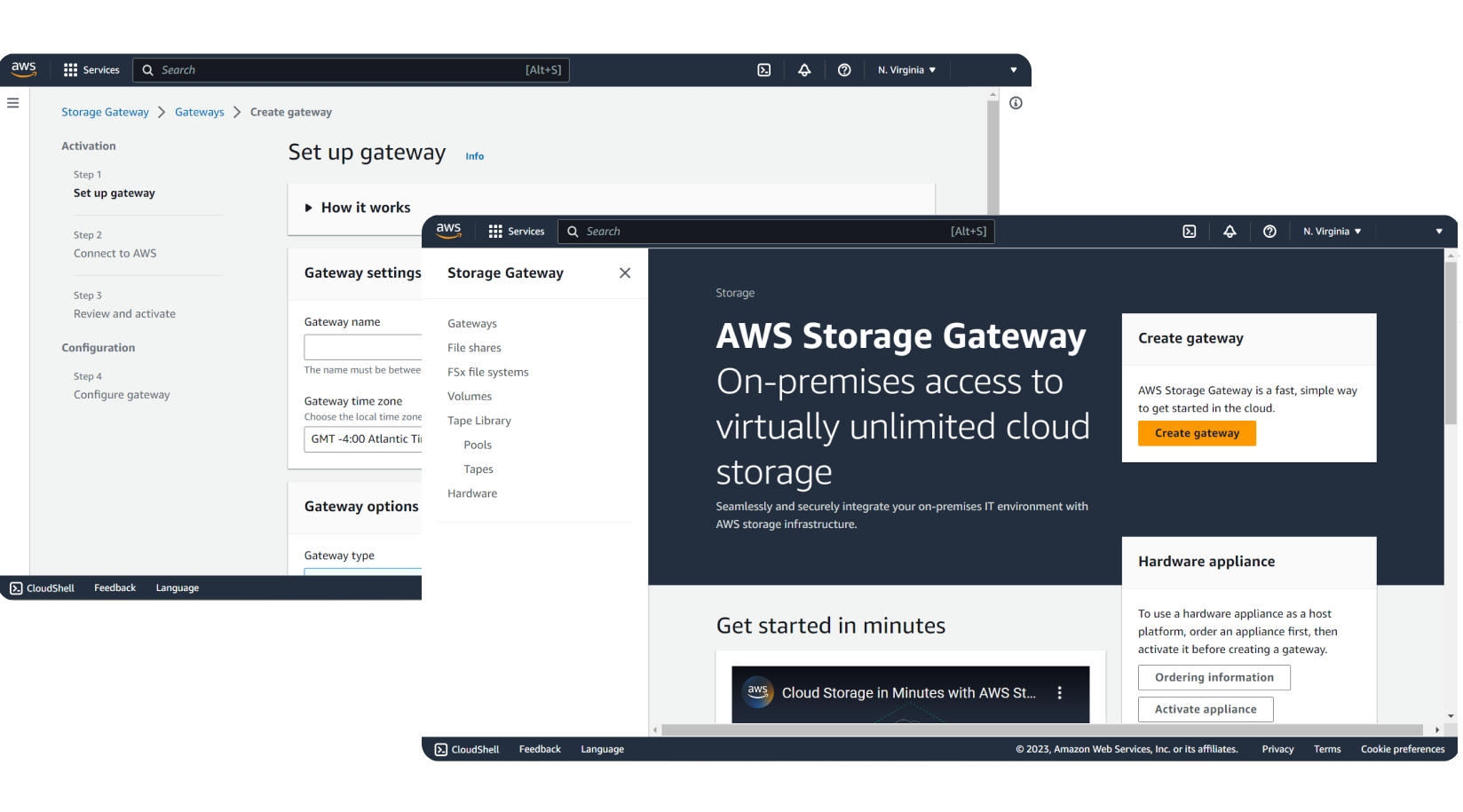
Storage Gateway is a service within AWS that provides a variety of different hybrid-cloud storage solutions for companies to connect their local software appliances onto the cloud. Customers that are looking to expand their existing service usage use the SGW Management Console to create new gateways and corresponding storage resources.
Typically, when a customer creates new resources, they choose the same configuration settings as their existing gateways and storage resources. Today, customers have to manually re-enter these configuration settings every time they create a new resource by repeatedly completing the same creation workflows in the console. For customers looking to create multiple resources at once, this is a cumbersome process.
How Might We
Simplify the process for customers who want to create multiple gateways and resources?
Solution
Design an automation tool that will simplify the process of creating gateways and their corresponding resources.
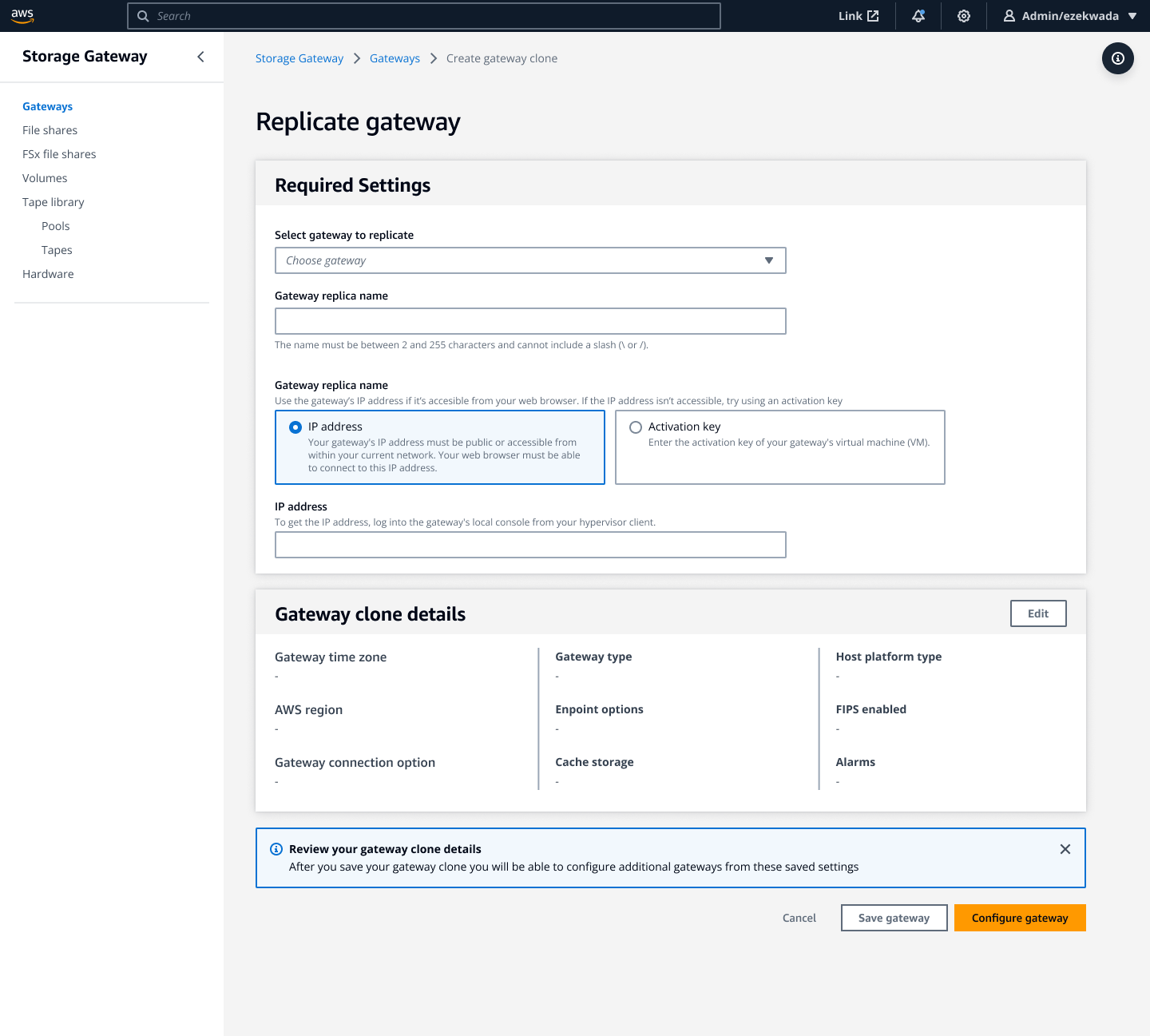
Replicate Gateway
Storage gateway customers can quickly and easily spin up a new gateway without having to re-enter multiple configuration details.
Our Target Users
The key research and insights I found allowed me to identify target users for this project. Their main responsibility is to move on premise resources to manage in the cloud. Each persona has different needs when it comes to creating a gateway and its corresponding resources within the console, but ultimately they all had similar challenges and problems.

Cloud Architect
“I want simplicity. I don’t like building something very complex, it will be very hard to manage, especially when stuff stop working.“

DevOps Engineer
“Typically, I never have a problem with SGW. It’s always something else that causes a problem, which is usually network issues.“

IT Admin
“I usually like to depend on in-context help or docs to teach myself on new features so I can help others and increase workflow and productivity.“
Design Principles

Extensibility
Our solution should be scalable and extensible for future phases and use cases.

Speed
Customers should be able to quickly and reliably create gateways and corresponding resources with no misconfigurations.

Familiarity
The new workflow should support customers current mental model of the ‘Create Gateway’ workflow.
Uncovering the Issues
I started by auditing the current "Create Gateway" experience to understand where this feature would sit in the user journey and whether the existing workflow could be simplified before adding automation. Research into existing precedents revealed that 85% of customers already use automated tools like Terraform and 55% use CloudFormation, so automation was clearly an expected pattern.
After speaking with our senior engineer, I learned that CloudFormation support for gateway creation had been explored previously but never shipped, ruling it out as a near-term solution. This led me to look at Amazon EC2's launch template feature as a closer precedent for in-console automation. I connected with the UX designer behind that feature to understand how he approached templatized resource creation and applied those learnings to our workflow.
Interpreting the results
Our main use cases
New Customer
As a new SGW customer that is still learning the creation process, it would be nice to easily setup a Gateway and learn as I go through the create flow
Existing Customer
As an existing SGW customer I sometimes have a Gateway fail (or normal working) and would like a way to spin-up a copy of the failed Gateway that has the failure remedied
Explore, design, iterate, and repeat
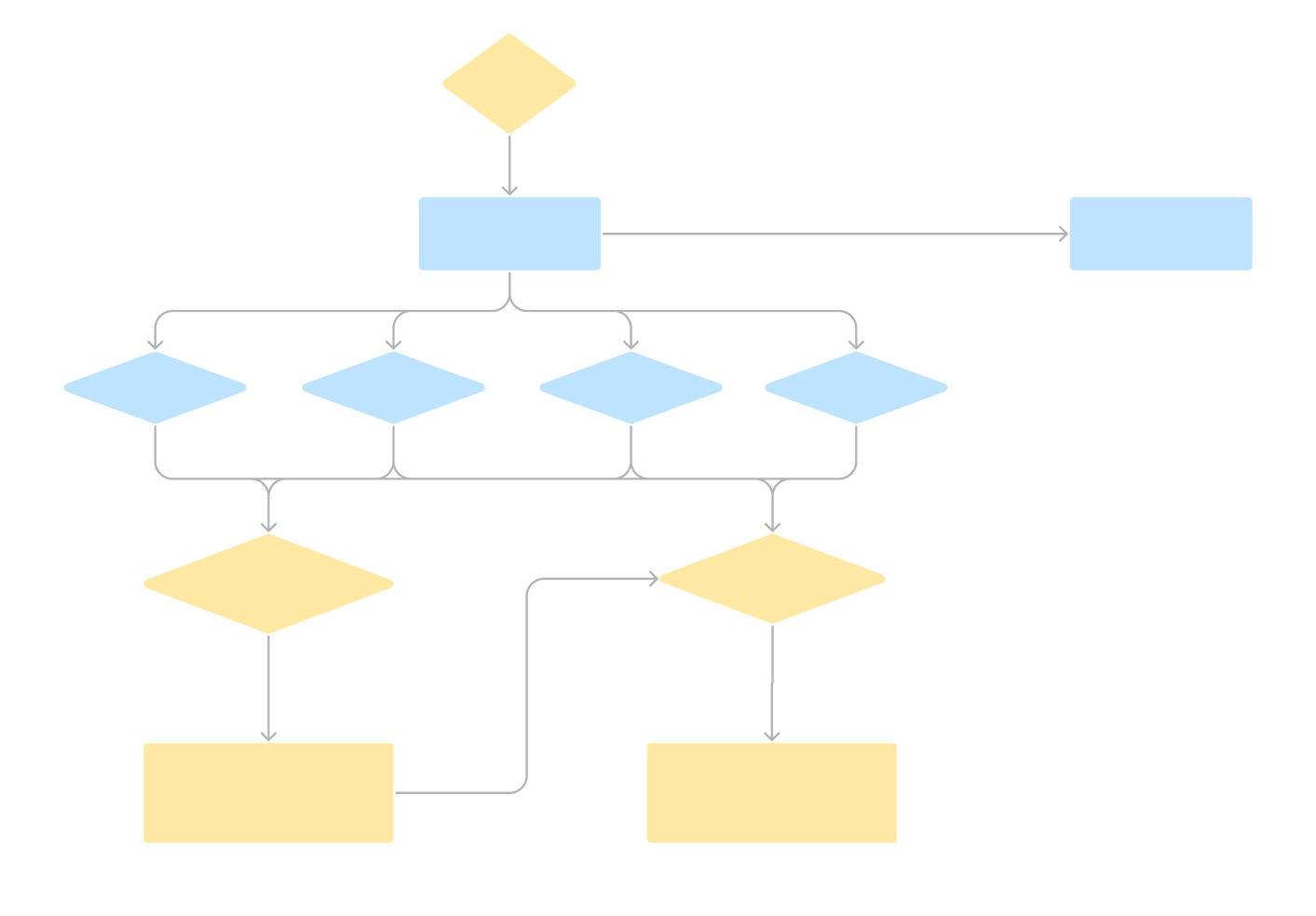
Using the design requirements I created with my PM and SDM, I began ideating on several different solutions. This process involved ongoing collaboration with my team and collaborating with other teams within AWS to assess and enhance the alignment of these solutions with our user goals and objectives and any technical limitations. I created 4 different workflows that met these requirements.
User flow 1
User flow 2
User flow 3
User flow 4
With constant feedback and iterations, I was able to identify 2 design solutions that were worth diving deep for, considering my time constraints as an intern, and left the other 2 to set as prospects for future exploration when I returned full time. Once I had developed a solid grasp of the problem space and design requirements, I started creating creating basic, rough sketches and low-fidelity wireframes of potential design solutions. These sketches and wireframes were then subjected to more feedback from PMs, engineers, and fellow designers, and I iterated through various high-fidelity design solutions based on all the input I received.
Usability Test with Prototype
After going through several design and engineering reviews, I prepared to test my work. I conducted a usability study which consisted of a short interview and prototype usability test. I worked with 12 internal customers who had varying levels of knowledge and expertise with Storage Gateway and the create gateway wizard.
My goals for this study was to:
Further understand participants current pain points and frustrations with the create gateway wizard.
Understand how they navigate the prototype based on the tasks and how they accessed the feature through the different entry point options.
Understand their workflow using the current gateway wizard to create resources with the new feature.
Understand what settings they find to be most important to them to use when creating with different gateways and resources.
Synthesizing my Findings and Final Handoff
After my sessions, I synthesized the data to uncover key themes and insights among the participants. Based on these insights, I began to implement some changes to my designs and conducted a follow up usability test with some of the previous participants. I did another round of iterations, going through design critiques with Senior Designers to ensure my designs were meeting the needs and requirements of the customer. I also organized an engineering review meeting with the developers on my team to go over my final designs.
Coming to an End
Coming back to work full-time, I picked up where I left off with my project. However, business goals and objectives began to shift and it seemed that my project was on the chopping block. I spoke with internal stakeholders and leadership to defend my designs and revisit the benefits, importance, and impact this feature will have for our customers. We looked over the work that I did during my internship and decided to turn it into a 3-phase project. The focus stayed the same; to optimize the experience for a faster gateway and resource creation process.
Phase 1 :Implementing the new feature with only the gateway and not its resources.
Phase 2: Implementing the new feature with a focus on resource creation, not gateway creation.
Phase 3: Combining the designs and technicalities of Phase 1 and Phase 2.
Customers would be gradually introduced to new/updated functionality over the course of the different phases. This development posed a challenge as it necessitated a significantly increased effort to ensure the success of these phases. Phase 3, in particular, posed the biggest challenge. To implement it, it would require a complete UX overhaul and substantial backend support, with the possibility of needing to create a whole new API.
As I transitioned to working on Phase 2, an unfortunate turn of events occurred—I was laid off, preventing me from further contributing to this project. However, I managed to document all the work I had completed with my team, providing comprehensive information for a smooth handoff to a new designer to continue the project.
My Learnings Throughout this Whole Process
Learn how to thrive in an unfamiliar environment and embrace ambiguity
As a new designer, this was a technically challenging space to understand. I learned how to quickly familiarize myself with the engineering-facing problem space and distilled it down to a comprehensive exercise. I explored ideas with the customer, publisher, and AWS business goals in mind.
Dedicate effort to comprehend your customer
During certain stages of the process, I felt the urge to hasten towards high-fidelity designs. However, I intentionally applied brakes and committed to understanding the personas and their individual requirements. This deliberate approach proved immensely beneficial, as the insights gained from this effort significantly influenced the direction of my subsequent design choices.
Thinking Systematically and about Scalability
Working at AWS, I was pushed to consider how my designs would scale as Storage Gateway grew. I ensured that my design decisions would not only work well with Storage Gateway's growth but also remain compatible with various other AWS services and explore how the feature could be standardized within them.